

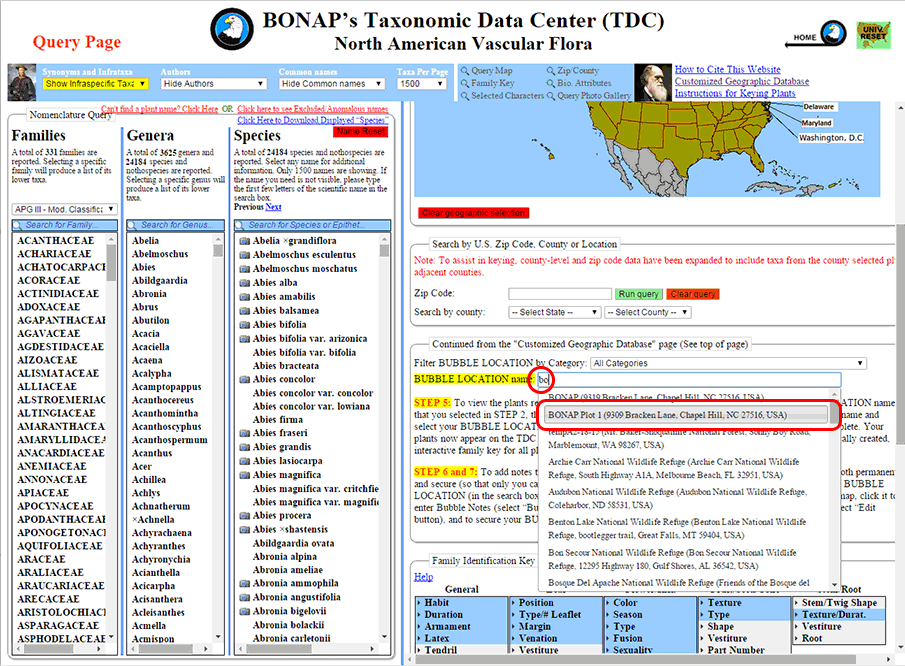
Step 1: To query a customized geographic database for a BUBBLE LOCATION, first select that BUBBLE LOCATION by entering the name or address, or any part thereof, for the BUBBLE LOCATION you would like to query. Left-click on your desired location from the drop-down list that appears.
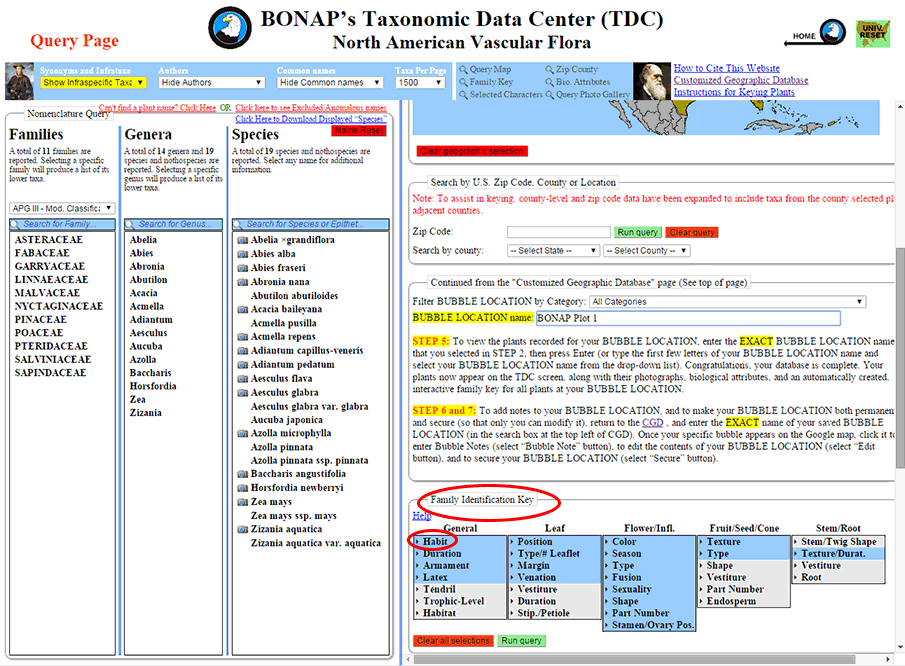
Step 2: To query using the Family Identification Key, scroll down to the ‘Family Identification Key’ box in the query panel.
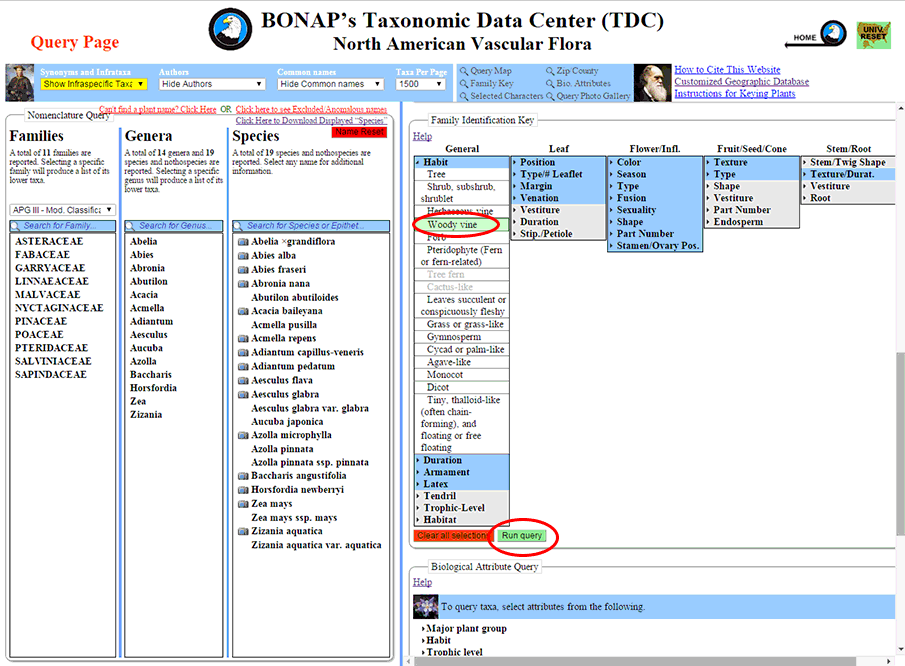
Step 3: Clicking on a character state will open a list of possible characters for you to select. In this example, the character state ‘Habit’ has been opened, and the character “Woody vine” has been selected. After selecting (by left-clicking) the character, left-click ‘Run query’ to query that selection, which will eliminate any incompatible characters and character states.
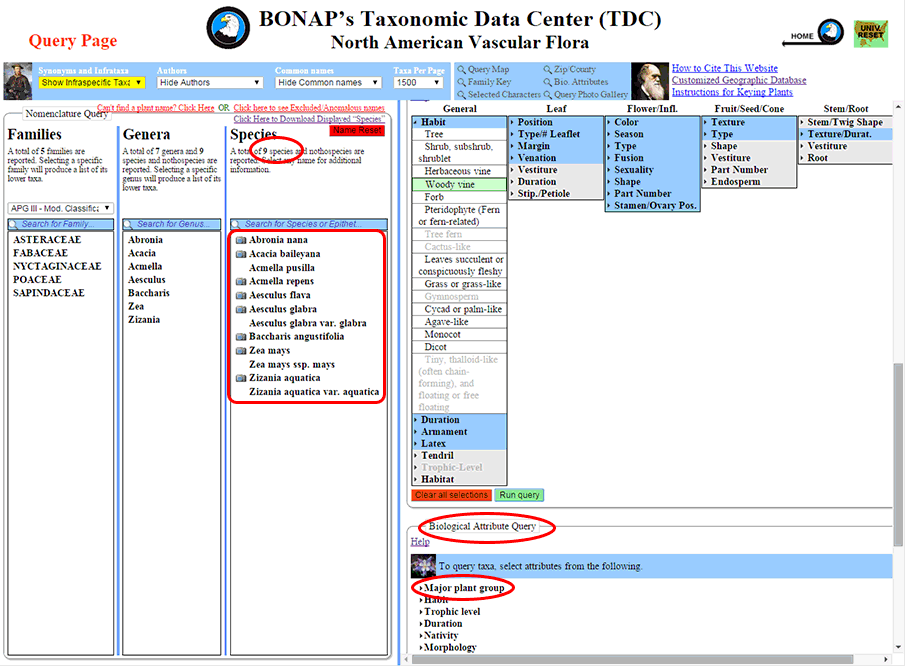
Step 4: Querying “Woody vine” reduces the number of species from 19 to 9 and greys-out the non-compatible characters. Further Family Key Queries can be run, but for this example, we will proceed to the Biological Attributes Query by scrolling below the Family Identification Key box in the query panel.
Step 5: Using the Biological Attributes Query in conjunction with the Family Identification Key can greatly improve the accuracy of the keying process. In this example, ‘Monocot flowering plant’ has been selected, followed by ‘Run query’.
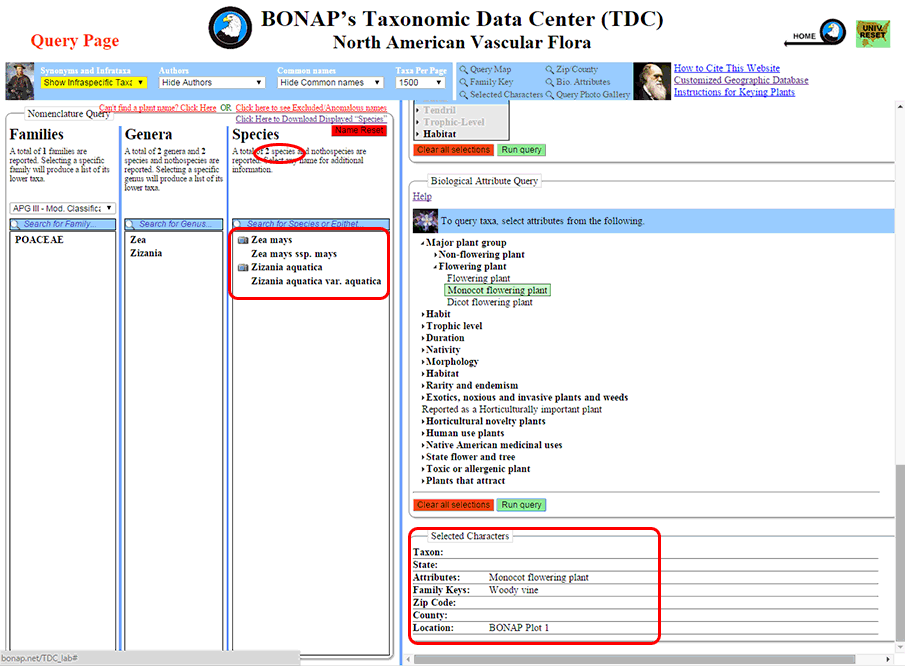
Step 6: The results of querying for ‘Woody vines’ that are ‘Monocot flowering plants’ within ‘Bonap Plot 1’ are the two species (four plant names) found in the ‘Species’ column.