


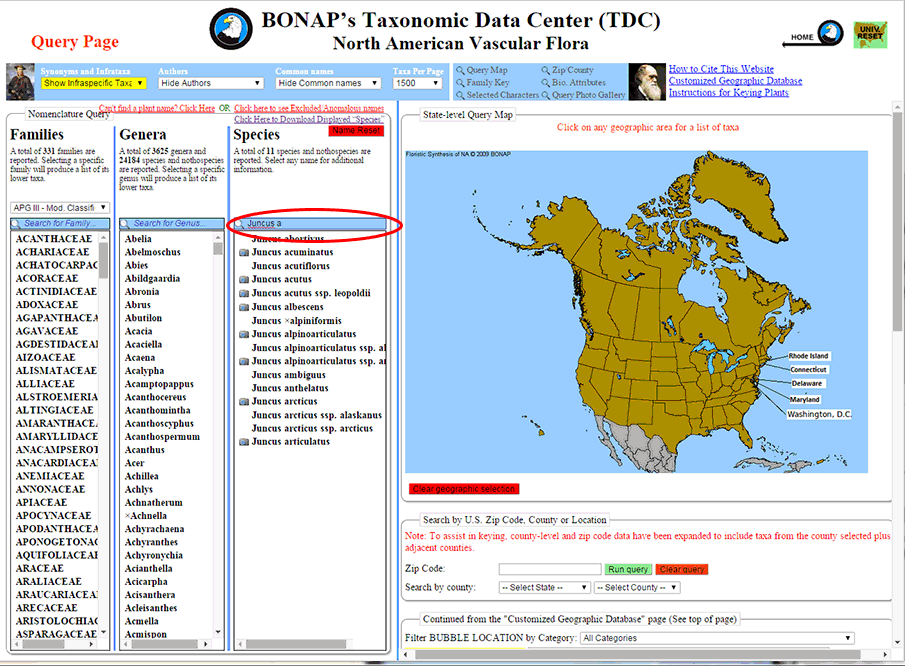
Species Search – Step 1: To search for a plant that you know the name of, type the scientific name (or at least 4 letters of the name) of the plant into the species search box. The results will be further refined with each additional letter you type. For this example, the species Juncus arcticus is the desired plant.
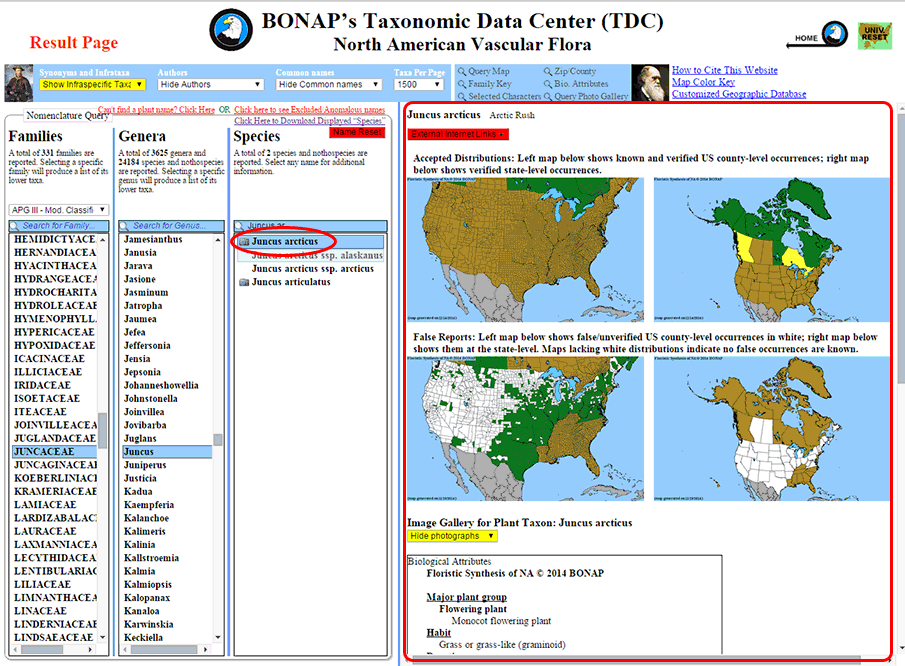
Species Search – Step 2: Once you have located the desired species, left-click on it in order to generate the result panel.
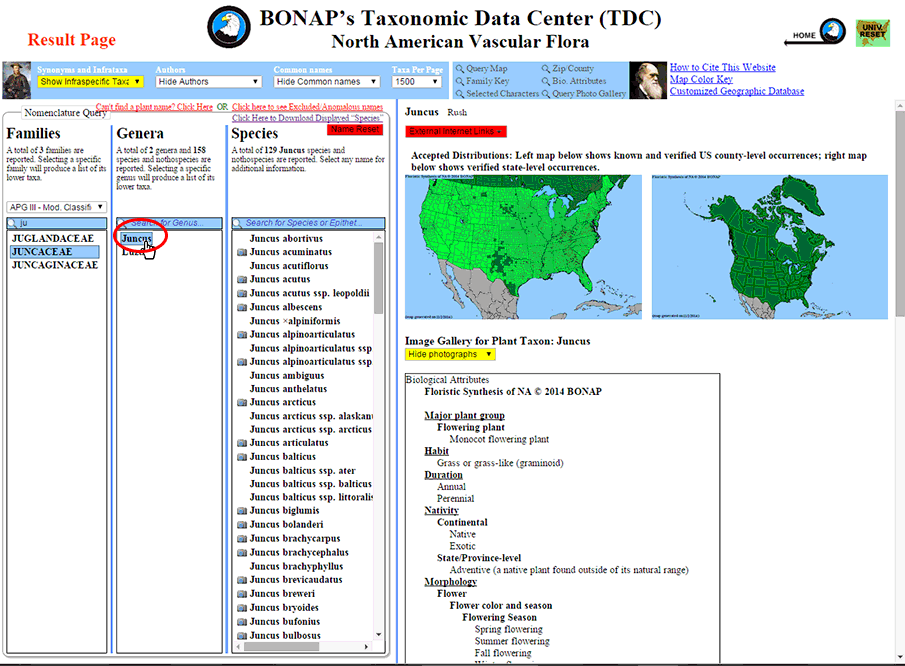
Species Search by Genus – Step 1: To search for a plant by genus, find the desired genus in the genus column (or type the full or partial genus name into the genus search box). Left-click on the desired genus name to populate the species column with all plants found within that genus.
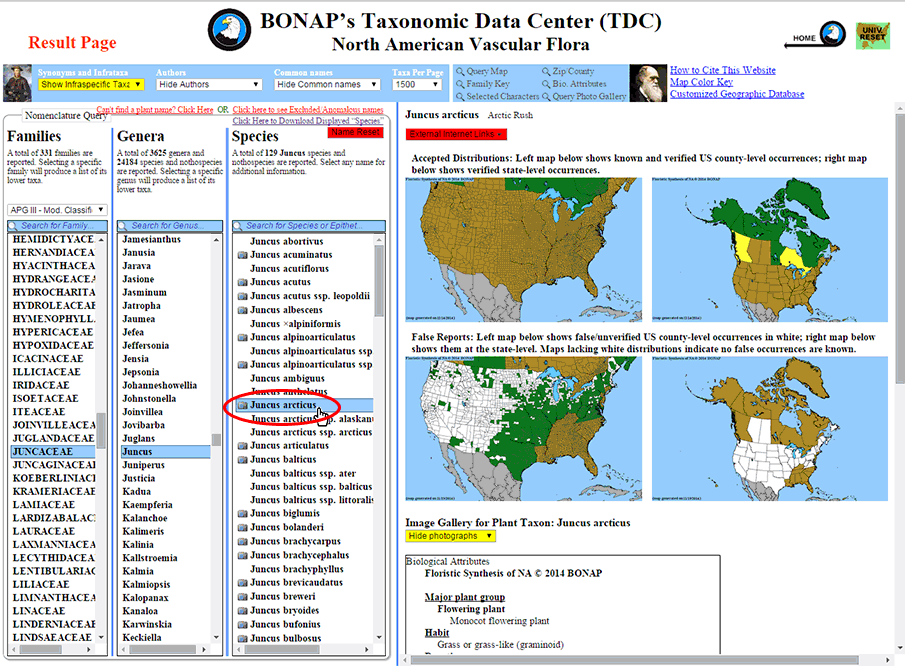
Species Search by Genus – Step 2: Once you have located the desired species, left-click on it in order to generate the result panel.
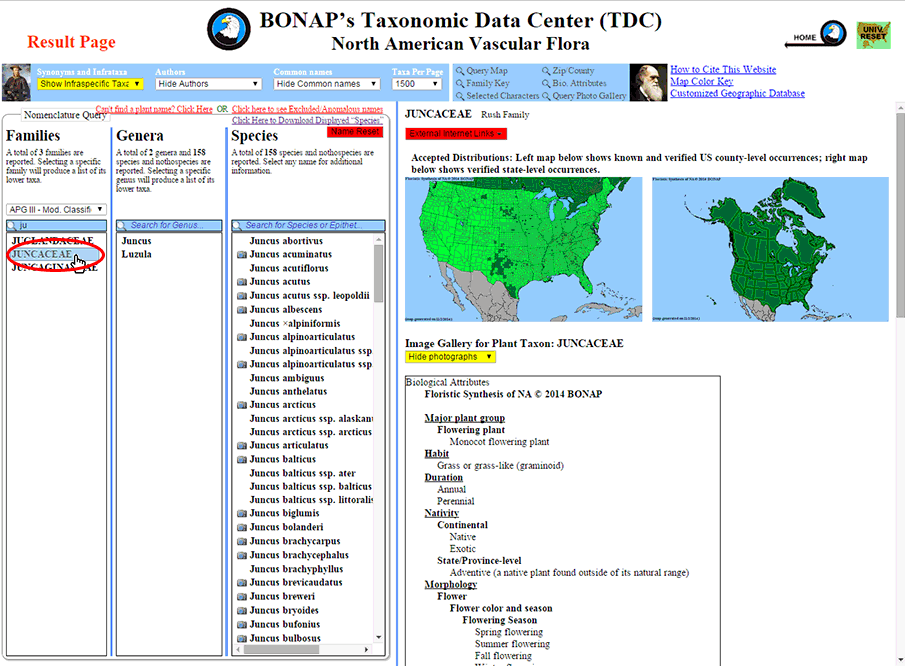
Species Search by Family – Step 1: To search for a plant by family, find the desired family in the family column (or type the full or partial family name into the family search box). Left-click on the desired family name to populate the genera column with all genera found within that family.
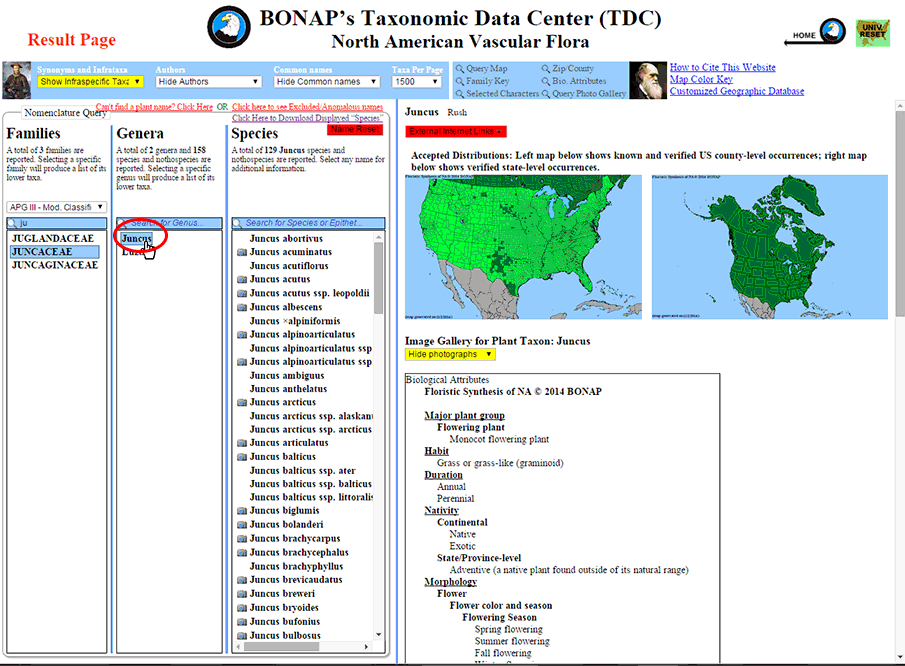
Species Search by Family – Step 2: Locate the desired genus in the genus column . Left-click on the desired genus name to populate the species column with all plants found within that genus.
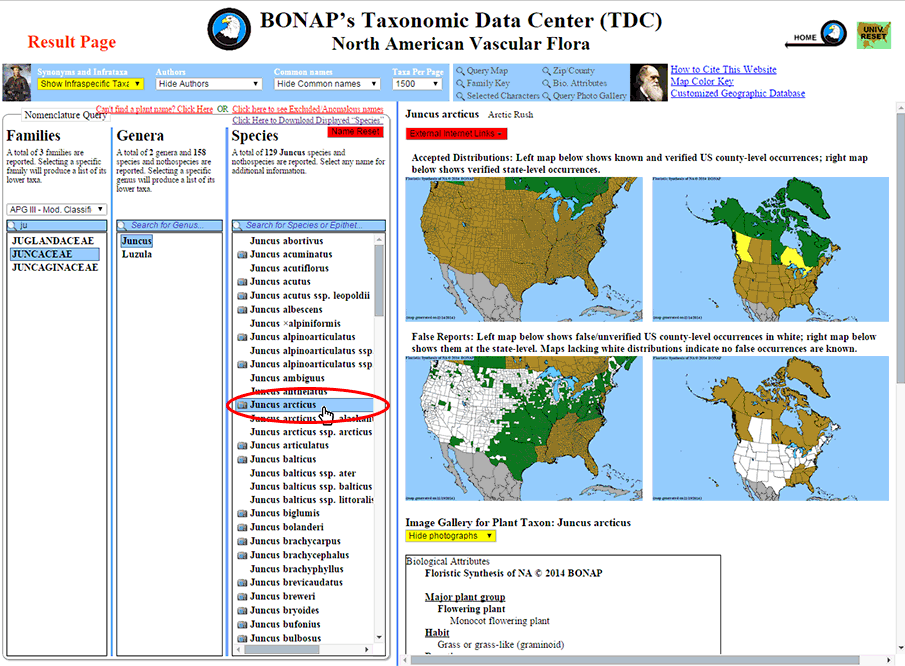
Species Search by Family – Step 3: Once you have located the desired species, left-click on it in order to generate the result panel.